Resources

See how your study is progressing: a tour of the Sponsor Portal

Enrollment, participant activity, and medical record insights in one view, updated as your study runs.

November 9, 2026 • 3 min video

Sponsor teams shouldn’t have to wait for a status meeting to see how their study is doing.

The Sponsor Portal gives study teams a view of how their study is progressing, whenever they need it. This short video walks through it, using illustrative data.

‍

What the Sponsor Portal shows, and when it updates

As participants enroll and complete activities, the Sponsor Portal updates in real time with:

  • Enrollment and eligibility
  • Participant demographics
  • Surveys, clinical activities, and remote visits
  • Wearable opt-in and connection

After each data delivery, the Study Data and Participant Journey views you choose with our epidemiologists update with insights from participants’ medical records, so your team can spot trends and patterns. 

Which tabs a study gets depends on its design. Remote visits and wearables, for example, appear only for studies that use them.

‍

Where people decide and where the Portal updates on its own

Your team decides what to look at and what to flag. Our epidemiologists work with you to choose the medical-record views for your indication, and the PicnicResearch team handles participant follow-up. Participant activity updates on its own as it happens.

‍

Example: a conference deadline before your next data delivery

A conference abstract is due before your next data delivery, with no time for full analysis tables. Your team can describe the baseline population with visualizations already in the Portal, using demographics and participant-reported data from your own study. Exporting figures for abstracts or presentations is an add-on to your study.

‍

Core views, add-on analyses, and custom visualizations

The Sponsor Portal includes 55+ core views of enrollment, screening, demographics, surveys, remote visits, and wearables, with survey, visit, and wearable views turned on when your study uses them. Your team can choose from 45+ add-on analyses built from participants’ medical records, and when your protocol calls for a view that isn’t there yet, our team can scope a custom one with you. See every view in the Sponsor Portal visualization library (PDF).

Talk with our team about your next study

1. Provider assessments

PicnicHealth’s providers can schedule virtual visits with study participants to conduct assessments required by the study protocol. Using clinical expertise, these assessments help evaluate participants' symptoms, overall health, and functional ability.
The INCAT Disability Scale diagram illustrating arm disability with five levels from 0 to 5, ranging from no upper limb problems to inability to use either arm for any purposeful movement, accompanied by descriptions of symptoms and functional limitations for each score level, alongside a partially visible Data Collection Sheet with medical text and scoring details.

2. Diagnostics

The PicnicHealth care team can order specific diagnostic tests, such as labs or imaging, if they weren't part of the patient's routine care. This ensures that sponsors have all the necessary data to address their unique research questions.
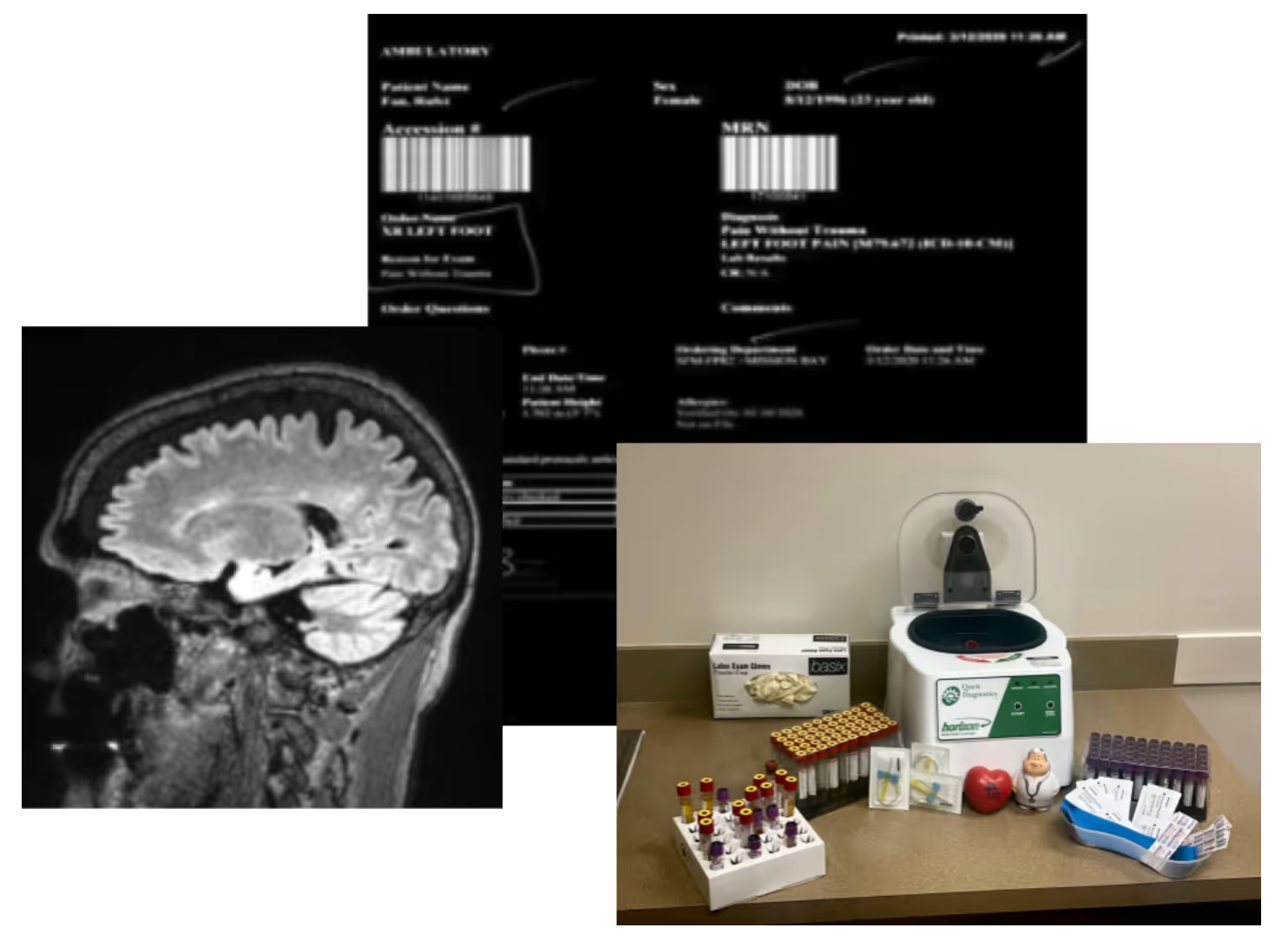
Composite image showing a brain MRI scan in side profile, a lab diagnostics result screen with patient and test details, and a collection of blood sample tubes beside a lab centrifuge on a counter.

3. Safety and adverse event reporting

PicnicHealth’s clinical team can provide support to ensure appropriate safety reporting. This includes monitoring for safety events to support safety adjudication.
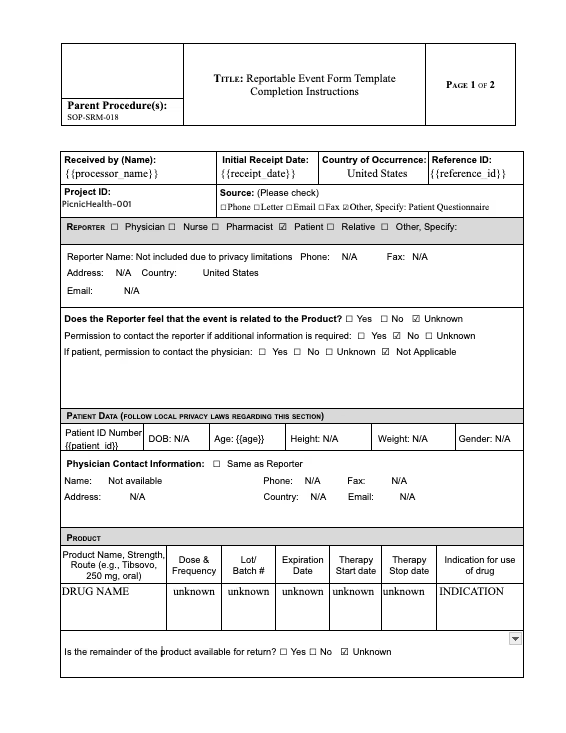
A two-page reportable event form template for product-related incidents, with fields for reporter information, patient data, and product details, including checkboxes for patient role, event relation to product, and product usage data marked mostly as unknown.

4. Primary Investigator (PI) oversight

The PI of the PicnicHealth Virtual Site provides clinical oversight to ensure appropriate study conduct, including assessing whether the study is following study protocol, meeting compliance with regulatory standards and good clinical practice guidelines, collecting data accurately, and maintaining documentation and producing progress reports as required.
Female doctor with glasses and stethoscope around her neck sitting at a desk, smiling and looking at a tablet in her hands in an office with a computer and window blinds in the background.
25,966

patients onboarded to platform

1,427,368

medical visits processed

56,861

facilities provided medical records

255,101

healthcare providers

95+

research programs

12

published posters and manuscripts

10

partnerships with top 30 pharma

New Research

Discover how PicnicHealth data powered medical research in 2021

Keeping Patients at the Center

This year, experts from PicnicHealth joined podcasts, webisodes, virtual summits and much more to speak to the importance of patient-centric approaches when building complete, deep real-world datasets.

LC-FAOD Odyssey: A Preliminary Analysis, presented at INFORM 2021

Data from real-world medical records:

(from 13 patients with LC-FAOD)

16 yrs old

Median age at enrollment

38% Female

15 providers / patient

7.5 years of data / patient

Data from patient-reported outcome (PRO) survey

(from 13 patients with LC-FAOD)

31,903

patients onboarded across 19 conditions

2,719,618

medical visits processed

255,101

healthcare providers

86,256

Facilities provided medical records

70+

Change Champions onboarded

95+

Research programs

15+

published posters and manuscripts

14

partnerships with top 30 pharma

A First Look: Lupus Nephritis

Cohort Overview. Understand patient healthcare utilization throughout disease history with ability to probe for meaningful mentions and events.

Open PDF

Sickle Cell Research

Sickle cell (SC) is the most common inherited blood disorder in the United States. Red blood cells become rigid and shaped like crescent moons, preventing oxygen from getting to parts of the body. This can cause fatigue, severe pain, organ damage or stroke.

Open PDF

Lupus Nephritis RWD

Addition of Narrative Text Abstraction to ICD-Based Abstraction Significantly ImprovesIdentification of Lupus Nephritis in Real-World Data

Open PDF
Speakers:
Vitaly Doban
VP, Head of Data & Insights Generation, Ipsen
Dr. Dan Drozd
Chief Medical Officer, PicnicHealth
Troy Astorino (Moderator)
Chief Technology Officer & Co-Founder, PicnicHealth
Panelists:
Dan Drozd, MD, MSc
Chief Medical Officer, PicnicHealth
Gaelan Ritter
Head of Digital Development, Biopharmaceutical Company
Area
What our experts do
How AI supports them
Study planning and start-up
Design each study, then review, revise, and approve every document
Prepares preliminary drafts of study documents, such as proposals, site materials, protocols, and analysis plans, from expert-defined inputs
Configuration and testing
Define testing requirements, review AI-generated test cases, evaluate results, spot-check based on risk, and approve configuration changes
Drafts the study configuration and later changes, tests them against the approved study materials, and flags mismatches
Medical record retrieval
Define record-matching rules and resolve every match below the confidence threshold
Matches incoming records to the right participant and labels them by facility and provider
Abstraction
Write the study guidelines AI follows, resolve flagged values, and verify a risk-based sample
Enters eCRF values from medical records with full source provenance and traceability
Data quality and delivery
Set data quality requirements, approve rules, resolve findings, and release each delivery
Drafts quality rules and checks completed forms against them
Study operations
Set study priorities, direct operational decisions, own every action item, and review and send what AI drafts
Drafts meeting summaries, status updates, and correspondence, and tracks open action items
Participant support
Answer participants and decide whether the app features are on for each study. Participants can turn them off too.
Helps support staff answer questions and powers optional app features that explain each participant's records in plain language, without medical advice

We know that every person's story is unique and deserves to be heard.

Join our early breast cancer registry to be counted and share your story with research.

Learn More
White checkmark inside a solid purple circle.

Create a List

List the names of all the doctors, hospitals, and other facilities your loved one visits regularly, along with those they have visited in the past. Try to go back as far as you can, striving for at least the last 5-10 years, but do your best. Even if you can’t remember them all, having a strong baseline can help you quickly identify gaps in records.

White checkmark inside a solid purple circle.

Ensure You Have the Appropriate Legal Status

It is important to make sure that you are fully empowered to make decisions on behalf of your loved one with Alzheimer’s. Your relationship status with the patient may not be enough to legally give you access to your loved one's medical information. It is a good idea to talk to an expert about securing special legal status, such as Power of Attorney (POA), a legal document that allows an individual to name someone as their decision maker should they no longer be able to make decisions on their own.

White checkmark inside a solid purple circle.

Gather and Organize the Medical Records in One Place

It’s important to have all of your loved one’s medical records together in one spot. This makes it much easier for you and your loved one’s physicians to accurately map the patient’s medical journey and more easily share information between doctors. Fortunately, tools exist to make record management and access simple. A free resource like PicnicHealth helps you collect and organize all of this information. PicnicHealth’s intuitive timeline allows you to pinpoint data across the medical history, eliminating your need for keeping heavy binders filled with paper records or keeping track of multiple software portal logins.

White checkmark inside a solid purple circle.

Review the Medical Records to be an Informed Advocate

The better you understand your loved one's medical history, the better you can advocate on their behalf. Access and understanding of this information will help you to ask informed questions with physicians. Through regular communication backed by the data in the medical records, you can help your loved one’s care team develop a more successful care plan.

Learn more about PicnicHealth’s commitment to the Alzheimer’s community and the Alzheimer’s Association

Learn More

Together, we can make a difference.

Learn more about PicnicHealth’s commitment to the Alzheimer’s community and the Alzheimer’s Association

Learn More
1

Build a support network.

When you’re juggling appointment times and insurance claims, putting a robust support system together might not strike you as the most urgent task. Investing the time to cultivate relationships with people can turn to in times of need will pay dividends. The next time you need a last-minute ride or just someone to listen, you won’t be on your own.
‍
There are many condition-specific support groups and support groups for caregivers generally in person or online. In addition to the encouragement and empathy they provide, support groups can be a helpful source of tips, resources, and recommendations for navigating caregiving.

2

Stay organized.

The backbone of effective caregiving is organization. Keep medical information, appointment schedules, and medication lists in order. Use a planner or a digital service like PicnicHealth to stay on top of your responsibilities. This attention to detail can prevent future complications and reduce day-to-day stress.

3

Explore treatments and clinical trials.

We’ve seen incredible breakthroughs in treatment over the past couple of years, powered by patients and their caregivers participating in research. Stay in the loop about the latest in medical advancements and available resources that could benefit your loved one. Whether it’s a new therapy option or a community service that aids independence, being informed can make a world of difference in the quality of care you provide.

4

Make time for self-care.

It may seem self-centered to focus on self-care—but when you feel good, you can be a better caregiver. Whether it’s exercise, a mindfulness practice, a soak in the bath, or just time to rest when you need it, carve out those moments in the day when you can unwind, reset, and stay healthy mentally and physically. Think of it as building up your reserves of kindness, patience, and understanding—which can only benefit your loved one. No one can pour from an empty cup.

Having trouble managing your loved one's medical records?

Easily manage all of your loved one's medical records and contribute to ongoing Alzheimer's research with PicnicHealth.

Learn More

LC-FAOD Odyssey: A Preliminary Analysis, presented at INFORM 2021

Data from real-world medical records:

(from 13 patients with LC-FAOD)

16 yrs old

Median age at enrollment

38% Female

15 providers / patient

7.5 years of data / patient

Data from patient-reported outcome (PRO) survey

(from 13 patients with LC-FAOD)

We hope you found this session informative! Sign up for PicnicHealth’s Alzheimer’s research program below.

Join Now
White lowercase letter i symbol for information inside a blue circle.
Tip: Download or print the poster at the end of this article to review before your next appointment!
White lowercase letter i symbol for information inside a blue circle.
However, it's important to consult with a healthcare provider or registered dietitian to determine the appropriate amount of protein for your individual needs. In general, a diet with moderate protein intake (about 0.8 grams per kilogram of body weight per day) is recommended for people with kidney diseases.

Learn more about contributing to IgAN research with PicnicHealth. 

Learn More
Side-by-side photos with text: On the left, a woman in a hospital gown and mask with medical electrodes attached, captioned 'HOW IT STARTED.' On the right, the same woman smiling, dressed in a green ribbed dress, captioned 'HOW IT'S GOING.'
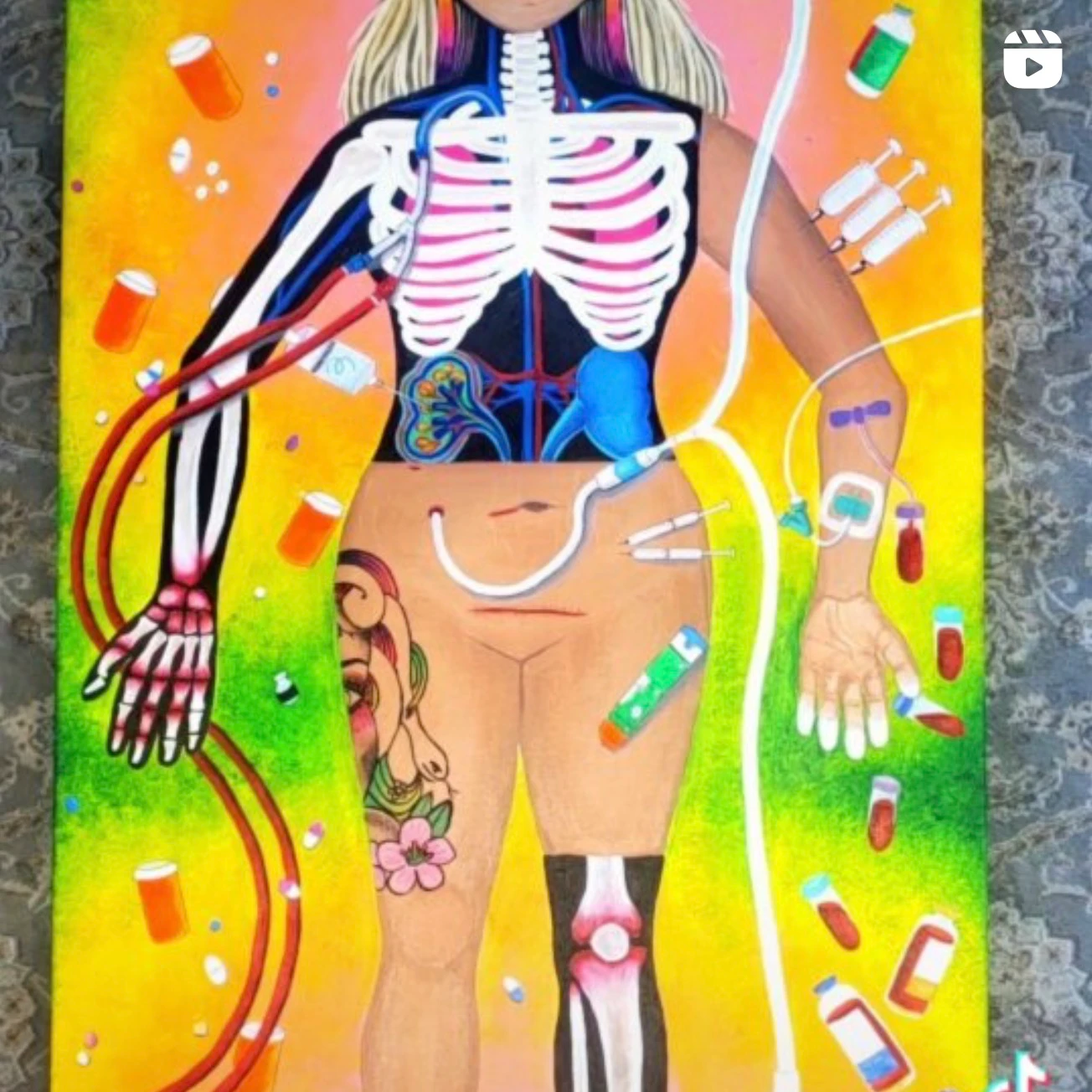
Colorful medical illustration of a human body showing skeletal structure in the left arm and right leg, internal organs including ribs, kidneys, and heart, and medical tubes connected to the arms and abdomen; surrounded by pill bottles, syringes, pills, and blood vials on a yellow and green background.
Close-up of a woman wearing a light blue surgical mask and a plaid jacket with visible chest area covered partly with medical tape and bandage, looking directly at the camera.
Person with curly hair wearing sunglasses, a white t-shirt with red text, and white pants, posing in front of a black backdrop with colorful text saying 'JACK LIVES HERE,' 'Six 26,' and 'The Ashford.' A white statue is partially visible on the right.
Woman with short curly hair wearing a white t-shirt featuring a red heart with a face, standing in front of a graffiti wall. Overlay text partially reads: 'Gisela, t diagnosed with a rare kidney'.
Red and pink graphic showing a smiling woman's face with the hashtag #KIDNEYFORGISELA above and the text KIDNEY FOR GISELA .COM on the right side.
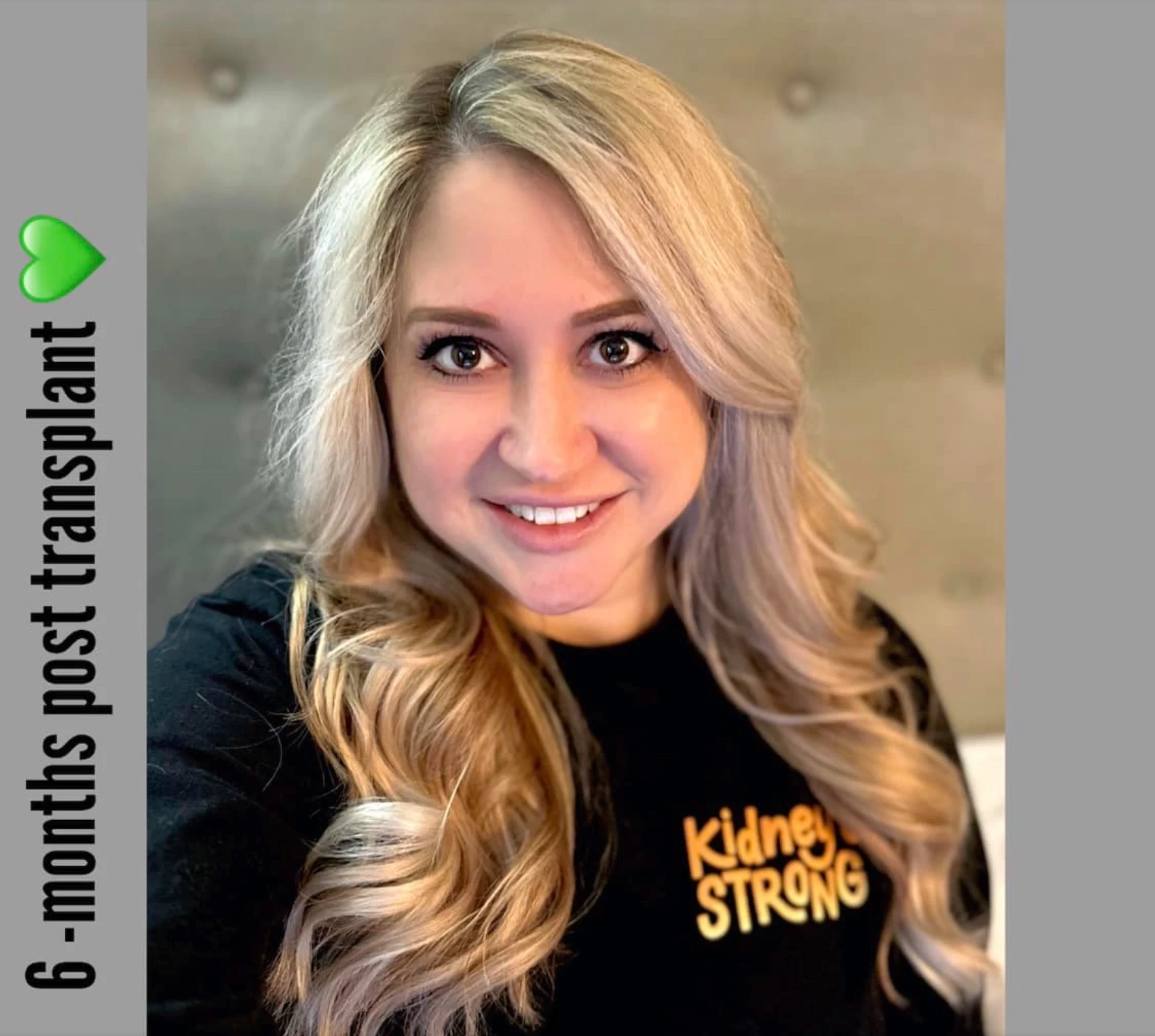
Smiling woman with long blonde hair wearing a black shirt with orange text reading 'Kidney Strong'; text on the left reads '6-months post transplant' with a green heart emoji.
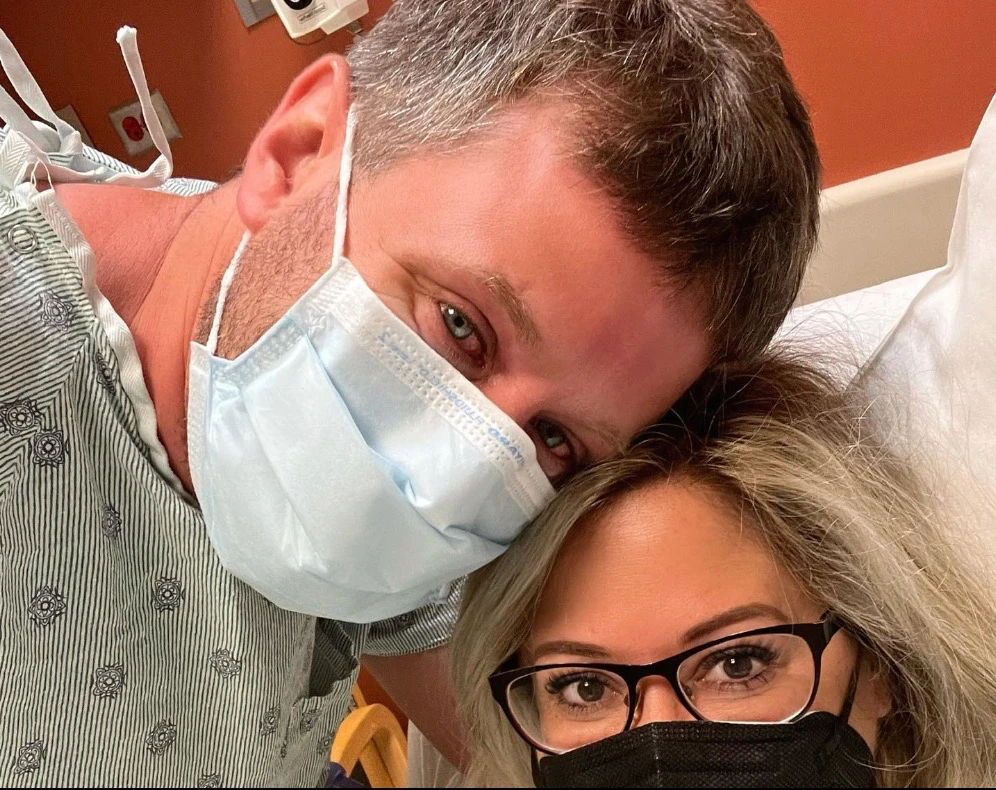
Close-up of two people wearing face masks in a hospital room, one in a hospital gown and the other with glasses, both smiling with eyes visible.
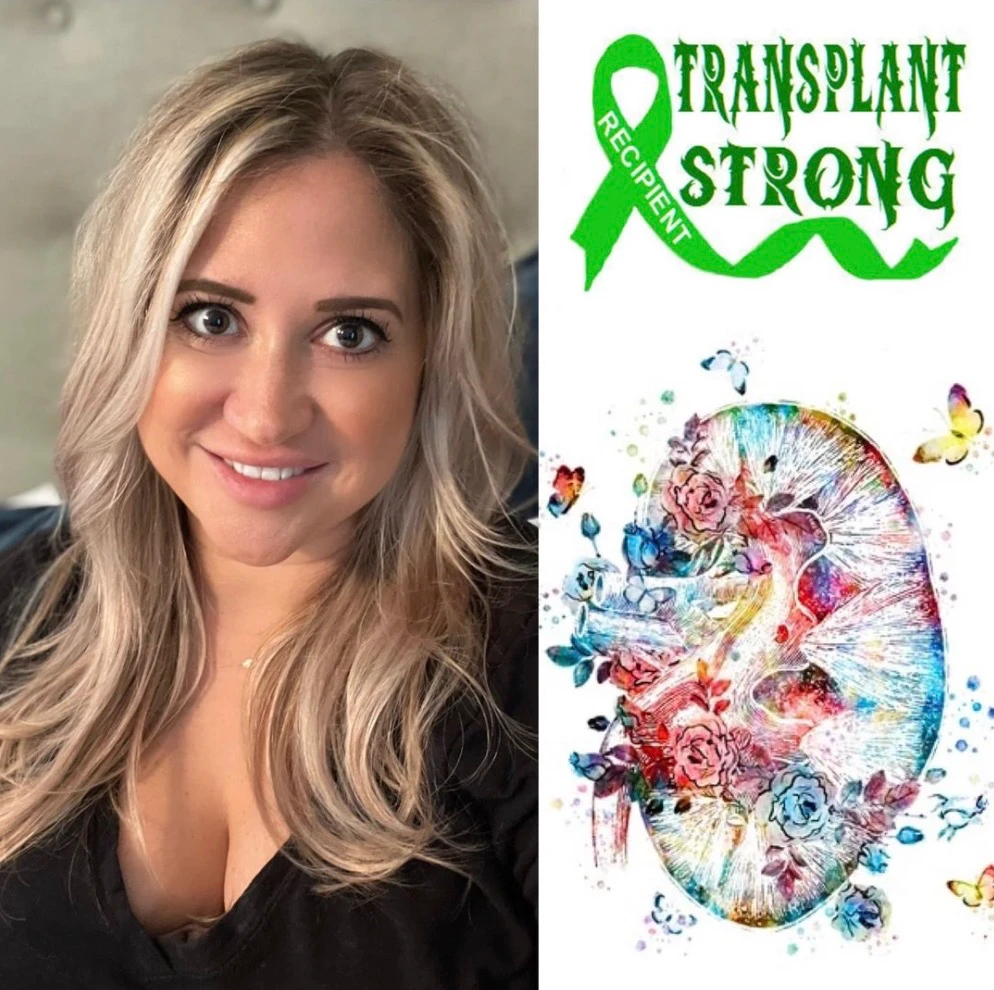
Portrait of a smiling woman with long blonde hair wearing a black top on the left; on the right is a colorful artistic illustration of a kidney surrounded by flowers and butterflies with a green ribbon labeled 'Recipient' and the text 'Transplant Strong' above.
Woman with short reddish curly hair sitting in a chair, looking to the side with an expression suggesting disbelief or frustration. Text overlaid reads: 'When you are talking to someone about your kidney disease and they say "I had a kidney infection once"'.
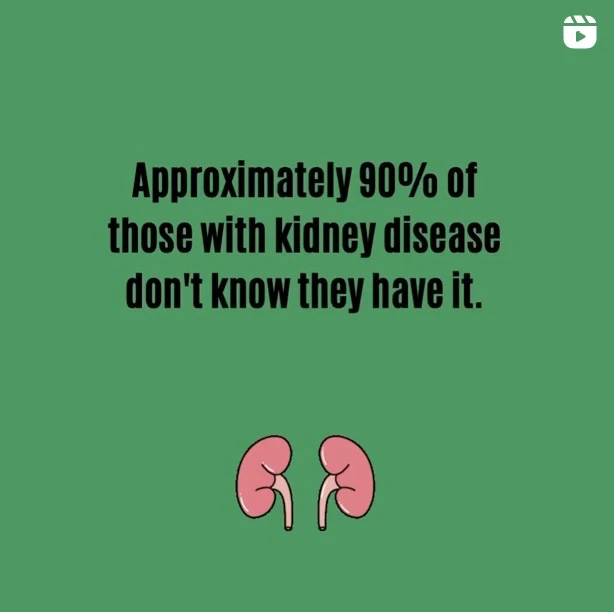
Text on a green background reads, 'Approximately 90% of those with kidney disease don't know they have it,' with two cartoon kidney illustrations below the text.
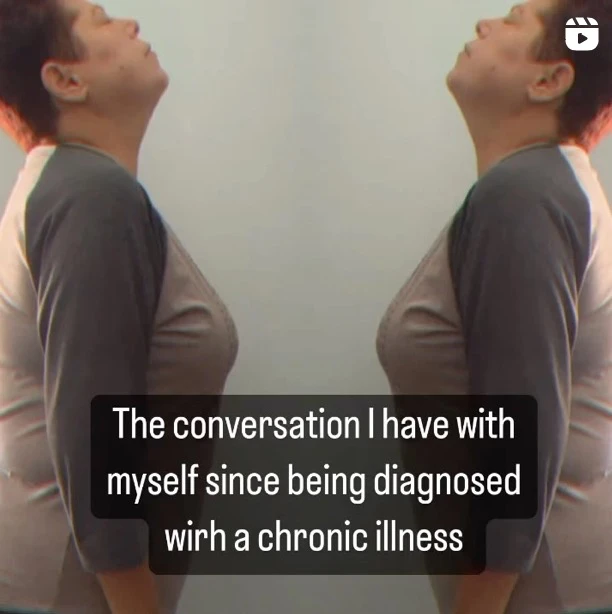
Mirrored image of a person in a gray and black shirt, looking upward with eyes closed, overlayed with text saying, 'The conversation I have with myself since being diagnosed with a chronic illness.'
Smiling woman with light skin, blue eyes, and pulled-back hair wearing a purple top, with pink text on the left saying, 'But you don’t look sick...'.
Podcast cover with yellow-orange background featuring a smiling woman in a purple shirt, labeled Stephanie Gish, and titled 'Crohn's and My Fitness Food: Rocky Road to Health', about her 20-year journey with inflammatory bowel disease, hosted on the Crohn's Fitness Food Podcast.
Person performing a yoga headstand on a sandy beach near rocky shore, wearing black leggings with colorful floral patterns and a pink sleeveless top.
An elderly woman with gray hair and a floral scarf smiles while seated next to a younger woman whose face is partially visible in a cozy indoor setting.
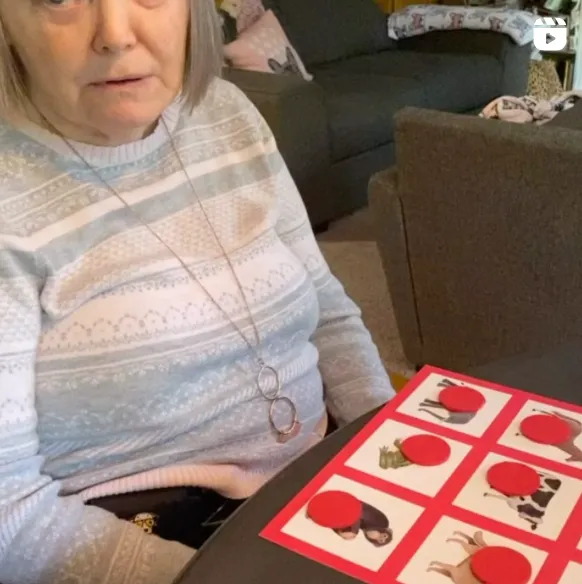
An elderly woman in a light gray patterned sweater with a long necklace is sitting at a table with a red and white game board featuring picture cards partially covered by red circular tokens.
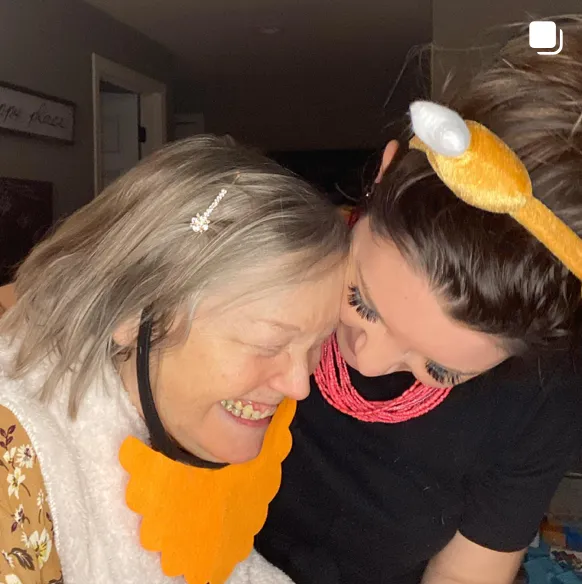
Two women smiling closely together indoors; the woman on the left wears a fake orange beard and a hairpin, while the woman on the right wears a black shirt and an orange headband with animal ears.
Framed photo on a wall showing a smiling woman with an afro hairstyle and a baby in a pink dress, with text overlay stating, 'My mom has alzheimers. She calls me mommy now.'
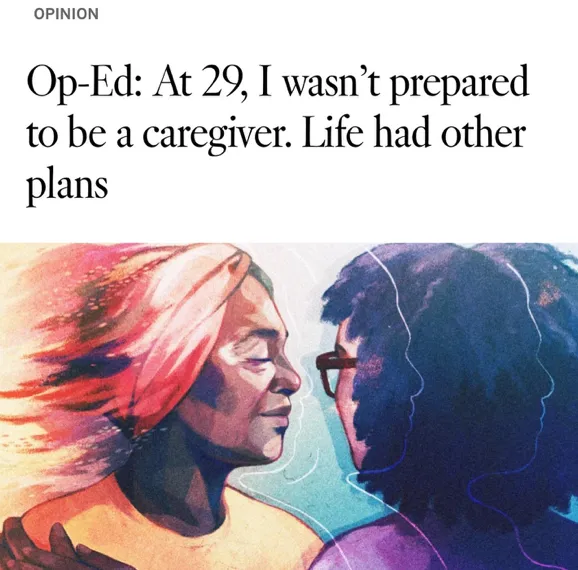
Illustration of two women facing each other closely, one with pink hair and warm tones, the other with dark hair and cool tones, symbolizing connection or caregiving.
Two women indoors; the younger woman on the left with glasses and headphones laughs joyfully, while the older woman on the right claps her hands.
Graphic of a person connected by lines to three user icons with hearts representing connections, with text reading 'Staying Connected Dementia + Phone Etiquette' and the website incaseiforgetconsulting.com on a lavender background.
An older woman in an orange sweater sitting at a table in a restaurant with a plate of fries, wearing a black face mask under her chin, with the overlaid text 'Sundowning Symptoms' in orange and white.
Two women facing each other and holding hands, one older with gray hair in a white top, the other younger with glasses and a mustard-colored shirt, with a framed sketch of a woman in the background and text urging to listen to tone and observe body language shifts.
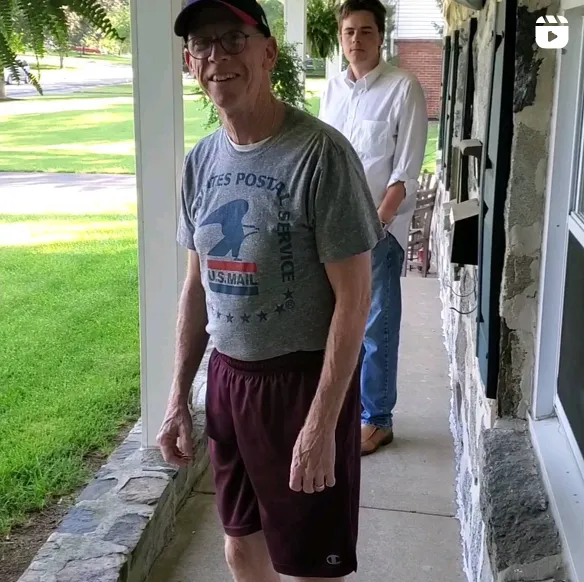
An older man wearing a gray U.S. Postal Service t-shirt, maroon shorts, a black cap, and glasses stands smiling on a porch with a younger man in a white button-up shirt and blue jeans standing in the background.
Young woman with light skin and red hair wearing a purple knit beanie and a gray sweatshirt, resting her head on her hand and looking at the camera with a slight smile.
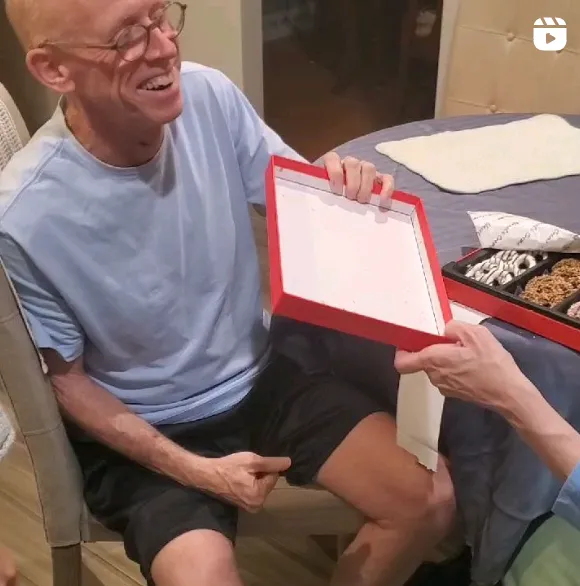
A smiling man wearing glasses, a light blue T-shirt, and black shorts sits at a table while holding an open red box, with another person handing it to him; the table has a few snacks inside a box and a cloth.
Smiling middle-aged couple sitting close together outdoors at night, with the woman wearing a gray cardigan and cross necklace, and the man in a black sweater.
Text on a light purple background reads: 'DON'T LET ANYONE WHO HASN'T BEEN IN YOUR SHOES TELL YOU HOW TO TIE YOUR LACES.' with the handle @marysdaniel in the bottom right corner.
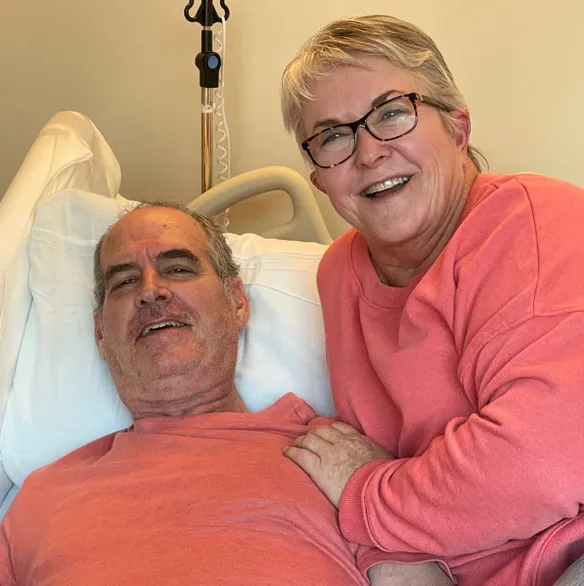
Smiling elderly woman with glasses in a coral sweatshirt sitting beside and gently holding a man lying in a hospital bed, also wearing a coral shirt, in a medical setting.
List titled '10 Foods That You Should Avoid to Maintain Healthy Kidneys' with foods high in sodium, potassium, and phosphorus. The foods are 1. Canned goods, 2. Whole wheat bread, 3. Bananas, 4. Chips, crackers, pretzels, 5. Potatoes, sweet potatoes, 6. Apricots, 7. Pickled foods, 8. Brown rice, 9. Avocados, 10. High-fat dairy products. Each item includes a note about its high content in sodium, potassium, or phosphorus. A disclaimer advises consulting a doctor before changing diet. There are illustrations of food items like rice, bread, and sushi around the list. The source URL and PicnicHealth logo appear at the bottom.

Save The Top-10 List

Download this list to save onto your phone or print it out for your fridge!

Download PDF
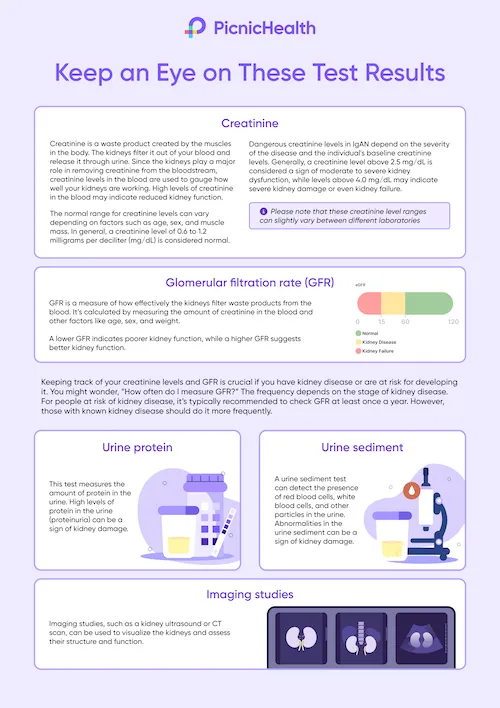
Informative infographic from PicnicHealth explaining key kidney test results to monitor, including creatinine, glomerular filtration rate (GFR), urine protein, urine sediment, and imaging studies. Creatinine is a muscle waste product filtered by kidneys, with normal levels of 0.6 to 1.2 mg/dL. High creatinine may indicate kidney issues. GFR measures kidney waste filtration, with lower GFR suggesting poorer function. Urine protein tests detect protein in urine to indicate kidney damage. Urine sediment tests for blood cells or particles signaling abnormalities. Imaging studies like ultrasound or CT scan visualize kidney structure and function to assess health. Monitoring these tests helps detect and manage kidney disease risks.

Keep an Eye on These Test Results

Download this poster to save onto your phone or print it out for your fridge!

Download PDF
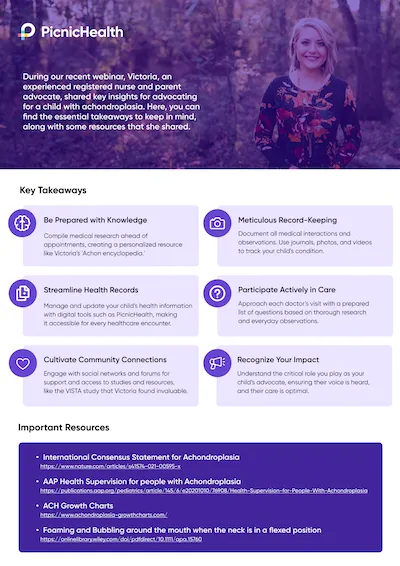
PicnicHealth flyer with a photo of a smiling woman with blonde hair wearing a floral dress, standing against a purple background. Text introduces Victoria, a nurse and parent advocate who shared insights on achondroplasia in a webinar, followed by key takeaways with icons: Be prepared with knowledge, meticulous record-keeping, streamline health records, participate actively in care, cultivate community connections, and recognize your impact. Important resources include links to the International Consensus Statement for Achondroplasia, AAP Health Supervision guidelines, and a guide on foaming and bubbling around the mouth when the neck is flexed.

Resource Flyer

Explore the essential takeaways from Victoria's Webinar, along with some resources that she shared.

Download PDF
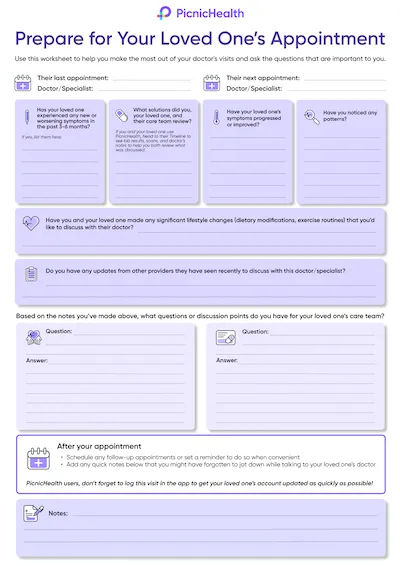
PicnicHealth worksheet titled 'Prepare for Your Loved One’s Appointment' with sections to record last and next doctor appointments, symptoms experienced, solutions tried, symptom progression, patterns noticed, significant lifestyle changes, updates from other providers, and questions and answers for care team discussion. It includes prompts for follow-up appointments, reminders, and note-taking to help users organize information before and after medical visits.

Pre-Appointment Worksheet

Prepare for your loved one's next appointment

Download PDF
White smartphone with rounded corners and a notch at the top, outlined in purple with three horizontal lines on its screen, next to a purple circle containing a white Wi-Fi symbol inside it.
A tablet, phone, or laptop with a working camera, microphone, and stable internet connection.
Simplified illustration of a window with four panes next to a tall floor lamp with a conical shade.
A quiet, distraction-free area with enough space to walk a few steps if applicable.
Purple modern armchair with four white legs inside a light purple circle.
A chair that you can use during any movements or tasks you’ll be asked to perform.
Stylized illustration of a camera mounted on a tripod.
The tripod mailed to you via Amazon.
An elderly couple sitting on a black sofa, smiling and looking at a tablet device together, with a walking cane resting on the man's knee.

What to Expect

Before your video call:

Illustration of a smartphone with a stylized letter P logo on the screen, accompanied by three horizontal lines below that represent text or menu items.
Book Your Assessment
Visit your to-do list on your PicnicHealth Research Dashboard or click the scheduling link sent to your email. Note: Search for “New task for the ORBIT-CIDP Study" to find the video call scheduling link.
White envelope icon with a purple notification circle showing the number 1 in the upper right corner, indicating one new message.
Receive Confirmation
Check your email for a confirmation with your scheduled video call time and instructions.

On the day of your video call:

Icon of a smartphone with a video camera symbol overlay, representing video call or video messaging on mobile.
Click on Video Link
Join your personal video call using the link we sent by email, or text message, or find it on your research dashboard.
Illustration of a faceless female nurse with purple hair in a ponytail, wearing a purple uniform with a white V-neck undershirt.
Meet your nurse
A Registered Nurse (RN) will guide your virtual assessment, which will last about 30 minutes.
Clipboard with a purple checkmark, three horizontal lines, and a purple pencil marking the bottom line.
Complete the Physical Activity Assessment (INCAT)
The nurse will guide you through questions and, if needed, physical tasks to help researchers gain a deeper understanding of CIDP.
Clipboard with a purple checkmark, three horizontal lines, and a purple pencil marking the bottom line.
Complete the Movement Assessment (Optional)
If you participate, a nurse will guide you through three short recorded movement activities to complete as best you can:
Icon of a person sitting upright on a chair, shown in a simple purple silhouette.
Chair Task
While seated with your arms crossed over your chest and hands on oppositeshoulders, you’ll be asked to stand up, remain standing for 20 seconds, and then sit back down.
Purple icon of a person with a raised arm waving, inside a light purple circle.
Arm Movement Task
While seated with your arms resting at your sides, you’ll be asked to raise both arms out to the sides until they meet above your head, then lower them back to your lap.
Purple hand making an OK gesture with thumb and index finger forming a circle.
Finger Dexterity Task
While seated, raise your right hand with fingers extended. Touch your thumb to each fingertip in order, then reverse. Repeat with your left hand. This will then be repeated with your left hand.
Purple e-Gift card with a bow design.
Earn Compensation

Receive up to $55 for your participation:

  • $25 for completing the Physical Activity Assessment (INCAT).
  • $30 for the Optional Movement Assessment.
Recording: Your research assessment may be recorded to ensure accurate data collection. If you participate in the optional Movement Assessment, it will also be recorded. These recordings may capture your voice and responses, but identifiable information like your face, name, or background will be removed to protect your privacy.
Clipboard with a purple checkmark, three horizontal lines, and a purple pencil marking the bottom line.
Opt Into the Smart Insole Study Activity
Complete the opt-in survey to confirm your participation.
Top-down illustration of a pair of white insoles with purple outlines and pressure points marked, displayed side by side in a purple circle.
Receive Your Smart Insoles
Your smart insoles will be shipped to your home via FedEx and should arrive within 1 week.
White envelope icon with a purple notification circle showing the number 1 in the upper right corner, indicating one new message.
Create Your Account

You’ll receive an email from Celestra Health with your account details. Follow those steps to set up your account.

  • If you don’t see an email from Celestra Health in your inbox, please check your spam or junk folder.
Purple sneaker icon with two white laces inside a white rounded square.
Download the App
After creating your account, you’ll be directed to a landing page with links to the App Store or Google Play. Use the link to download the correct version of the app for your device.
Smartphone screen displaying Celestra Health Systems logo with a teal circular icon containing a medical cross and wave-like blue shapes at the bottom.
Person holding a pair of blue shoe insoles over a wooden floor with gray casual shoes placed in the background.
For illustrative purposes only, your insoles may look different
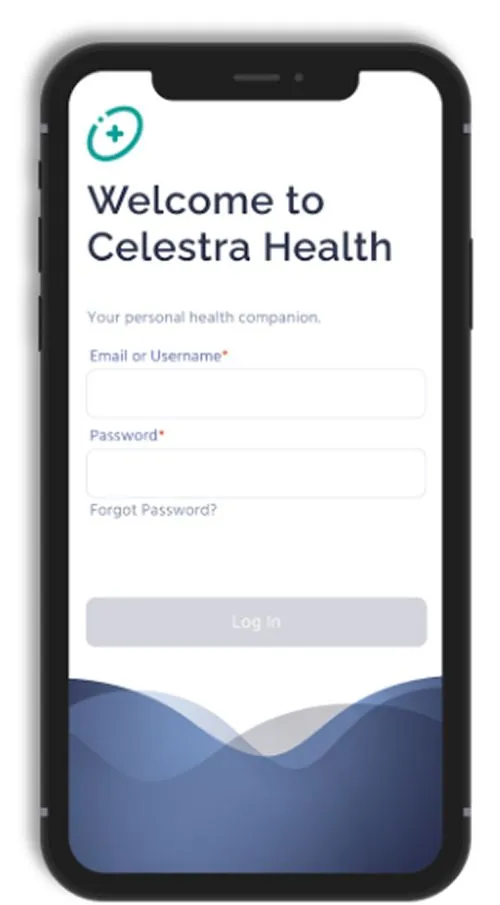
Smartphone screen displaying the Celestra Health app login page with fields for email or username and password, a 'Forgot Password?' link, and a disabled 'Log In' button against a blue wave background.
Illustration of a smartphone with a stylized letter P logo on the screen, accompanied by three horizontal lines below that represent text or menu items.
Log In
Open the app and log in using the email address and password you used when creating your account.
Illustration of a smartphone with a gear icon overlapping, representing mobile settings or configuration.
Enable Permissions
  • For iOS users: Enable Motion & Fitness and allow access to Apple Health.
  • For Android users: Enable Activity Recognition permissions.
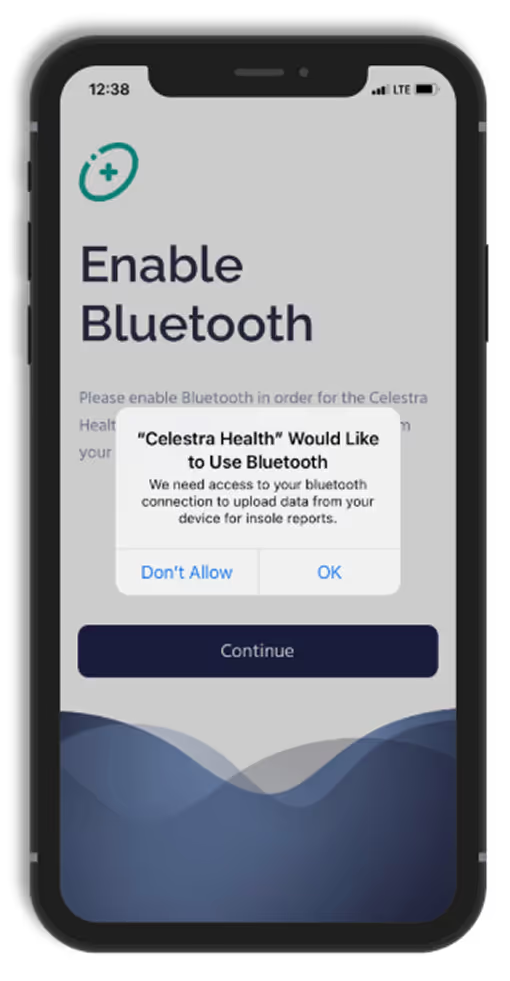
Smartphone screen showing an app requesting Bluetooth permission with message: 'Celestra Health Would Like to Use Bluetooth. We need access to your bluetooth connection to upload data from your device for insole reports.' Options are Don't Allow and OK. The screen behind displays text 'Enable Bluetooth' and a Continue button below.
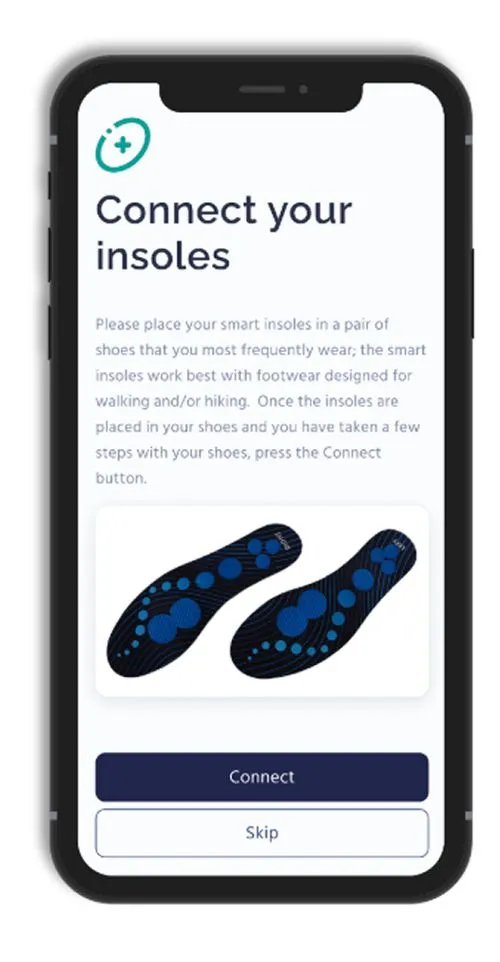
Smartphone screen showing an app interface titled 'Connect your insoles' with instructions to place smart insoles in frequently worn shoes designed for walking or hiking, then press the Connect button after taking a few steps. The screen shows an illustration of a pair of black insoles with blue pressure points and buttons labeled Connect and Skip below.
Icon of a smartphone with a large purple circle overlay showing the white Bluetooth symbol on it.
Connect Your Insoles
Turn on Bluetooth, and follow the app's instructions to connect your smart insoles.
Illustration of a smartphone with a notification bell icon overlapping its right side, symbolizing mobile alerts or notifications.
Enable Notifications
Enable push notifications to stay updated on reminders and activity progress.
Smartphone screen showing a notifications setup page for the Celestra Health app, requesting users to enable notifications for reminders of upcoming self-tests and low insole battery status, with a 'Continue' button below.
Person inserting a blue cushioned insole into a gray suede shoe on a wooden floor background.
For illustrative purposes only, your insoles may look different
Clipboard with a purple checkmark, three horizontal lines, and a purple pencil marking the bottom line.
Start Walking Sessions
When you’re ready to perform a walking session, tap ‘Start’ on the Ad Hoc Walking task card in the app.
An elderly couple sitting on a black sofa, smiling and looking at a tablet device together, with a walking cane resting on the man's knee.
Smart insoles are designed to fit comfortably into any pair of closed shoes
Smartphone screen showing a Help page with a search bar labeled 'How can we help you?' and two clickable options: Browse articles with a lightbulb icon for how-to articles and best practices, and Submit a ticket with a user icon to fill out a support form. Below is a link to view all articles in the Knowledge base.
Illustration of a smartphone with a chat bubble containing three horizontal lines, symbolizing a messaging or text conversation.
Need Help?
Should you need to contact Celestra Health support for any reason, you can submit a ticket through the Help section of the app by tapping the Submit A Ticket card and filling out the form. A Celestra Health representative will typically respond within one business day.
White smartphone with rounded corners and a notch at the top, outlined in purple with three horizontal lines on its screen, next to a purple circle containing a white Wi-Fi symbol inside it.
A fully charged device (smartphone, tablet, or laptop) with a working camera, microphone, and stable internet connection.
Purple modern armchair with four white legs inside a light purple circle.
A quiet, well-lit space that is free from distractions.
Simplified illustration of a window with four panes next to a tall floor lamp with a conical shade.
Good lighting so your face is clearly visible; having a small flashlight or your phone’s flashlight nearby can help with skin, scalp, or joint checks.
Stylized illustration of a camera mounted on a tripod.
Flexible device positioning so you can easily adjust or prop up your device hands-free if the research staff asks to view specific areas (such as your face, hands, or scalp).
Purple stylized person walking, with three white motion lines behind them, inside a lavender circle.
Space to move in case you are briefly asked to stand or walk a few steps.
Illustration of a user profile webpage with a purple user icon on the left and horizontal text lines representing profile information on the right, set inside a rounded browser window.
Your medication information, including your current steroid(s) and BENLYSTA® (belimumab) — either the medication bottles or a list with doses and schedule.
Icon of a person sitting upright on a chair, shown in a simple purple silhouette.
Time to focus without interruptions so the visit can be completed comfortably.
Before Your Video Call:
Illustration of a smartphone with a stylized letter P logo on the screen, accompanied by three horizontal lines below that represent text or menu items.
Schedule your visit
Use the scheduling link on your PicnicHealth Research Dashboard or the link sent to your email.
‍Tip: Search your inbox for “New task for the BEACON-SLE Study - schedule your remote visit” to find the scheduling email.
White envelope icon with a purple notification circle showing the number 1 in the upper right corner, indicating one new message.
Check your confirmation
You’ll receive an email with your appointment time and instructions for joining the video call.
On the Day of Your Video Call:
Icon of a smartphone with a video camera symbol overlay, representing video call or video messaging on mobile.
Join the call
Click the Zoom link sent to you by email or text message, or use the link available on your research dashboard.
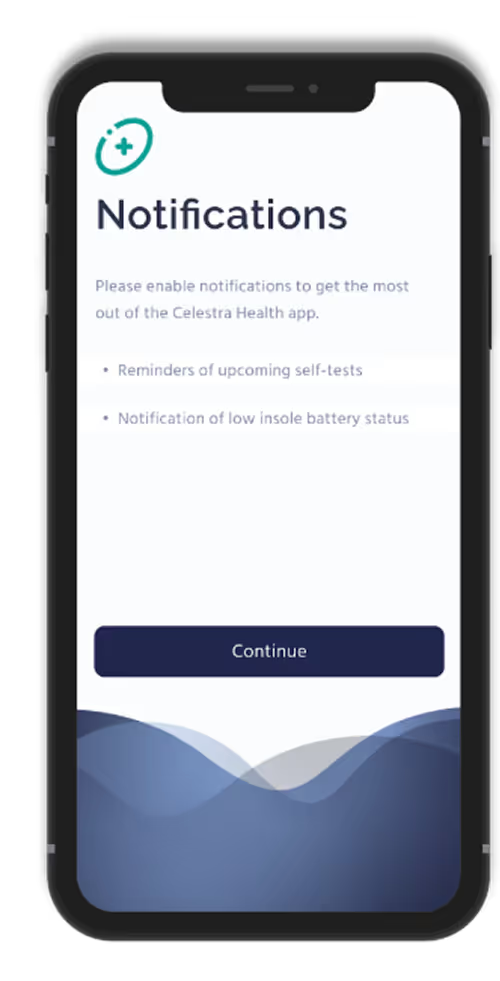
Illustration of a faceless female nurse with purple hair in a ponytail, wearing a purple uniform with a white V-neck undershirt.
Meet with the research staff member
  • They will ask you structured questions about your health and any lupus symptoms you’ve experienced over the past 30 days.
  • If needed, they may guide you through a few simple visual checks (such as looking at your skin, hair, joints, or mouth). You can always tell them if you’re not comfortable with anything.
Purple e-Gift card with a bow design.
Receive Compensation
You’ll receive up to $60 for completing your visit.
See More

Related Articles

View All